
The Helium 10 Share of Voice tool helps you track how often your products appear in search results compared to competitors. It’s a simple way to measure brand presence and spot where your visibility is strong – or where you’re being outperformed.
In this guide, I’ll walk you through how the tool works, how to set it up, and how to use the data to improve your Amazon strategy.
Key Takeaways
- Helium 10’s Share of Voice shows how visible your brand is across Amazon search results.
- It breaks down your presence by keyword, ad type, and organic vs. paid visibility.
- You’ll need the Diamond plan or higher to access Helium 10’s SOV tool.
What Is Share of Voice?
Share of Voice (SOV) shows how visible your brand is on Amazon compared to your competitors – for the keywords that matter most to your business. It includes both organic search results and paid ads.
Let’s say you’re tracking a keyword like “collagen powder,” and your product appears in 15 out of 100 total listings across the first page – your SOV for that keyword is 15%.
In theory, you could try to calculate this manually. But with constantly changing search results and multiple ad types in the mix, it’s tough to track accurately. That’s where Helium 10’s Share of Voice tool makes a big difference. It handles the tracking and math for you – so you can focus on making decisions, not spreadsheets.
How Helium 10’s Share of Voice Tool Works
The Share of Voice tool is located under the Ads > Reporting section in your Helium 10 dashboard. It’s part of the Helium 10 Ads suite and helps you track how your brand performs in Amazon search results – both organically and through paid placements.
Here’s what it does:
- Tracks your brand’s visibility for a custom list of keywords you provide
- Separates organic vs. paid visibility, so you know where your exposure is coming from
- Breaks down paid Share of Voice by ad format: Sponsored Products (SP), Sponsored Brands (SB), and Sponsored Brand Video (SBV)
- Highlights competing brands so you can see who’s gaining (or losing) ground
Once you submit a keyword list, the tool scans Amazon and delivers a report. It may take up to 24 hours to process, but the result is worth the wait: you get a clear snapshot of how often your brand appears compared to others – and how that changes over time.
How to Set Up a Share of Voice Report?
Setting up a Share of Voice report takes just a few minutes. Here’s how to do it:
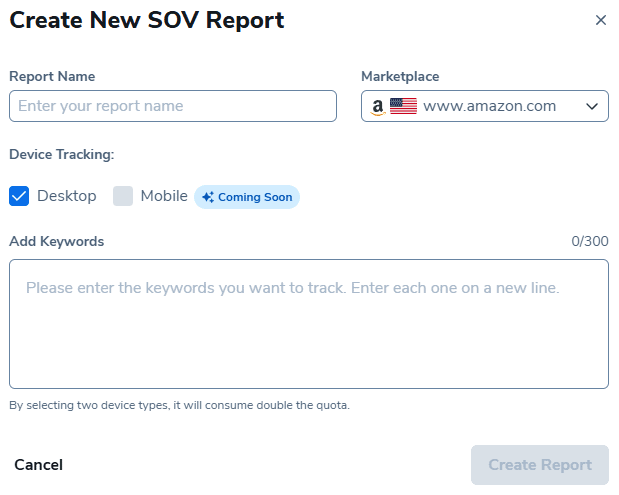
- Log in to Helium 10 (sign up with a discount if you’re new to Helium 10) and go to Ads > Reporting > Share of Voice.
- Click “Create New Report.”
- Choose your Amazon marketplace.
- Name your report (e.g., “RevenueGeeks Keywords”.)
- Add your keyword list – include a mix of branded, generic, and competitor terms.
- Submit the report and give it some time (usually up to 24 hours.)
Once it’s processed, you’ll see how often your brand appears for those keywords – split by organic and ad types – plus how you stack up against competitors.
Which Helium 10 Plans Include the Share of Voice Tool?
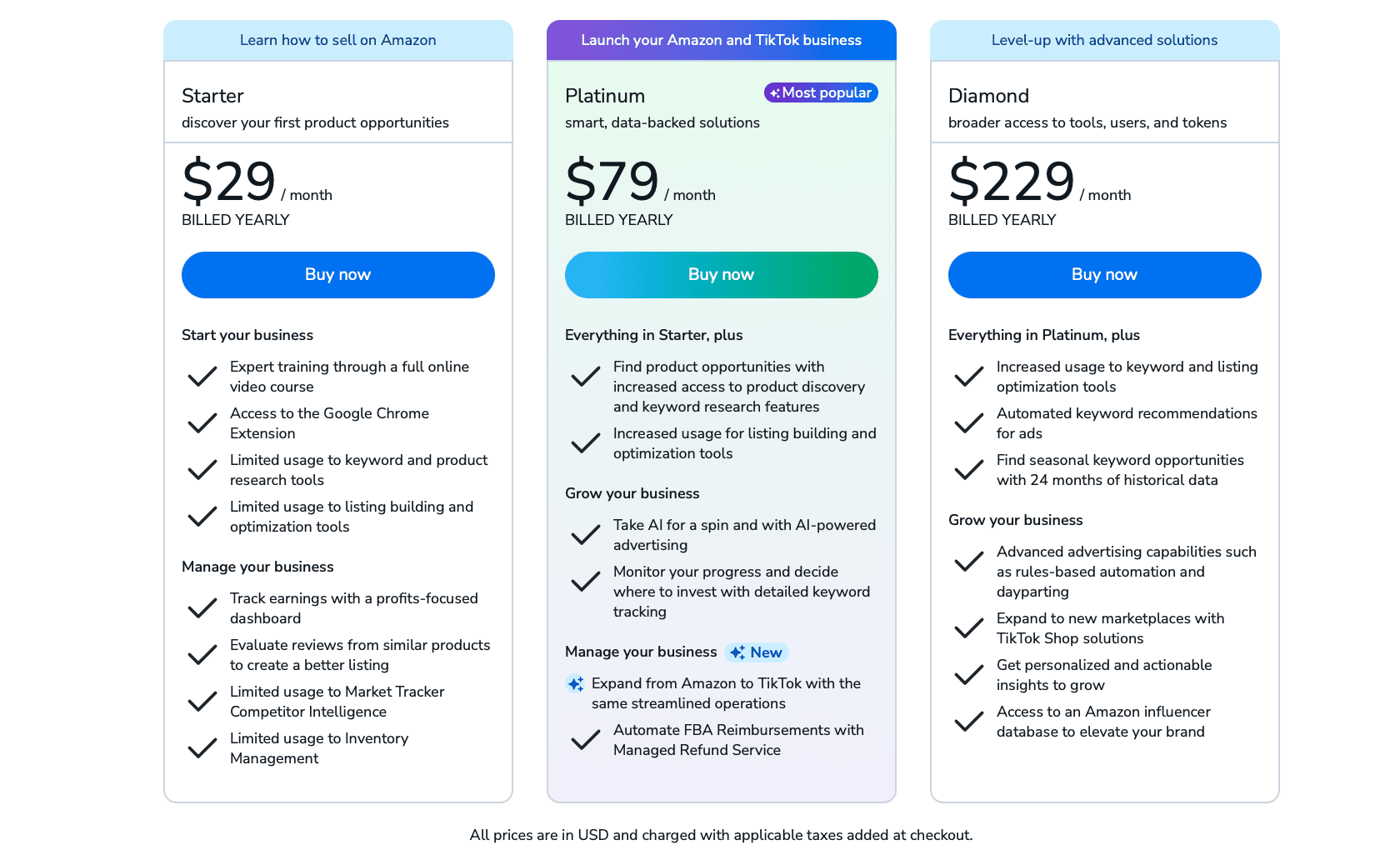
The Share of Voice tool is available with Helium 10’s Diamond plan and above. If you’re on a Free or Starter plan, you won’t see this feature in your dashboard.
If you’re running ads or competing in a crowded niche, this tool alone can justify the upgrade. It gives you visibility insights that go way beyond basic keyword rankings – helping you spot gaps, defend your position, and react faster to changes in the market.
Before upgrading, you can check the latest pricing and features in our detailed Helium 10 pricing guide.
Tips for Using Share of Voice Effectively
Once you start running Share of Voice reports regularly, patterns begin to emerge – and that’s where the real value kicks in. Here are a few tips I’ve found helpful:
- Use a balanced keyword list: Don’t just track your brand name. Include a mix of generic terms, competitor keywords, and long-tail phrases to get a well-rounded view.
- Compare organic vs. paid visibility: If most of your SOV is coming from ads, it might be time to strengthen your listings or SEO. If organic is strong, you could reduce ad spend in those areas.
- Monitor your top competitors: SOV shows you who’s gaining visibility. If a competitor suddenly appears more often, it might be time to review their pricing, ad formats, or keywords.
- Run reports consistently: A single report is a snapshot. Running them weekly or bi-weekly helps you track trends, catch shifts early, and measure the impact of your campaigns.
- Watch your paid SOV by ad type: Helium 10 breaks it down into SP, SB, and SBV. If one format is underperforming, it may need creative testing or a budget shift.
Visibility Is the Metric Most Sellers Ignore
Most Amazon sellers obsess over rankings or ACOS – but overlook what truly drives both: visibility. Share of Voice gives you a clear, measurable way to see if your brand is actually being seen where it matters.
Helium 10’s Share of Voice tool takes the guesswork out of visibility tracking. You’ll spot weak spots, track progress, and make smarter decisions about where to invest your time and ad budget.
If you’re ready to compete more strategically, this tool is well worth exploring.
Click here to unlock a Helium 10 discount and start tracking your Share of Voice today.


